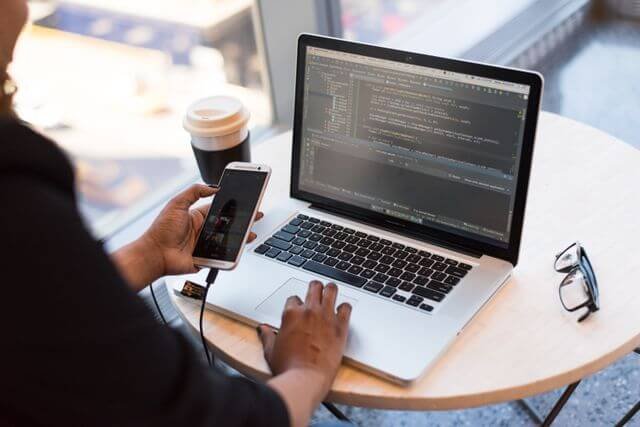

Remote access while one of the most understated technologies in business today, has also become one of the must-haves. It underlies almost every scenario where one employee checks into a corporate system from home, another IT technician troubleshooting another device halfway across town and a contractor accessing shared resources from the realm of his client network. However common it may have been, by many definitions the term is used loosely enough that many organizations are unsure what remote access even does, much less; What problems it solves? Which users rely on it most heavily? And which industries use RDP?
Those questions are common ones to which this guide offers a crisp, practical response.
Remote Access: A Working Definition
The term remote access means the ability to connect to a computer, application or network from a location that is outside of the physical premises where that system lives. The connection is made over a network most commonly the public internet and provides this remote user with the same functional access they would have if they were physically sitting in front of that system.
This definition is purposefully broad in its scope. Remote access: A sales manager pulling up a CRM dashboard from their hotel room; a database administrator patching an on-premise server from their home office; a support engineer taking over control of the customer endpoint to troubleshoot software problems. The technology enabling these scenarios differs from one another, but the story behind each either resolves how to create physical presence when it is not practical or possible.
A comprehensive look at what remote access is used for makes clear how varied those use cases have become across industries and job functions. The range extends well beyond the knowledge worker with a laptop, encompassing operational roles, clinical settings, educational environments, and more.
What Remote Access Does
Remote access technology serves different roles at a functional level. It connects the remote device and the destination, logs in as the user, and then sends data between two endpoints to facilitate whatever task a user intends.
Depending on which technology is being used, remote access can also provide a full graphical desktop on the remote device where they can see and control the remote system as if it was in front of them. Or, it might allow a handful of applications/files/parts of the network and not the whole computing environment. For example, some implementations are geared for administrative access to servers and infrastructure while others puts priority on end user productivity or customer support.
Remote access determines how secure a remote access connection is largely depends on the authentication mechanisms that are put in place, encryption for securing data while being transmitted and policies determining which user can reach which resource under what conditions. A properly framed remote Access environment would ensure that it enforces multi-factor authentication while granting access based on the least privilege model, and maintaining logs till session termination for audit and compliance processes.
Who needs remote access – the core user groups
Remote and Hybrid Employees
Employees who work remotely some or all of the time are the largest group of remote access users. After 2020, that group grew to a significant portion of all employees and it continues to be sizable even as organizations have revised their return-to-office views.
The research about how information workers actually spend their time substantiates that large segments of the workforce are now working from multiple work locations over a normal calendar month. A distributed workforce research report from Forrester found that half of US information workers split their time between the office, home, and other remote locations, underscoring how foundational remote connectivity has become for modern organizations.
IT and Systems Administration Teams
IT pros are among the most prolific users of remote access technology. Administrators responsible for server infrastructure, network equipment, endpoints and cloud environments just cannot be physically accessible across every device they are responsible for. These tools also provide the remote access required for them to update, react to alerts, troubleshoot errors and run maintenance routines remotely either from one location or where they are physically located.
In its role in IT support functions especially, remote access allows a technician to connect directly with an end user and work through resolution interactively, rather than forcing the user to either bring their machine into a help desk or wait for an on-site visit.
Third-Party Vendors and Contractors
Organizations often engage external parties, including software vendors, managed service providers, auditors and specialist contractors that require access to internal systems to complete their work. This access needs to be controlled. A vendor keeping only one application on their access should only be able to access that application. Third-party remote access policies often include limited lifetime credentials, scoped permissions and session logging requirements.
Research into distributed work security challenges shows that IT and security leaders consistently identify balancing risk management with seamless employee access as one of their primary operational concerns, with over half of those surveyed reporting that having the right technology tools in place is their biggest challenge in managing risk across distributed environments.
Healthcare Organizations
Remote access is particularly useful for clinical and administrative staff in healthcare settings. How many steps are you away from a full security disaster at your healthcare company or organization with access to systems that contain sensitive health data clinicians reviewing patient records from offsite locations, nurses updating care documentation during off-shift hours, and radiologists reading imaging studies from remote workstations? Similarly, the security and compliance mandates supervising access under frameworks like HIPAA are also stringent.
Among the security challenges posed by a distributed workforce, research indicates that healthcare organizations are seeing an especially intense version of the broader problem: Among survey respondents to one study, nearly 60% of those from healthcare organizations cited lack of proper tools in the management risk due to work-from-anywhere protocols.
Healthcare IT teams must find a way to avoid hindering clinical workflows while keeping protected health information (PHI) confidential, maintaining data integrity, and assuring availability.
Education and Research Institutions
Universities and research institutions rely significantly on remote use to fulfill multiple needs. Remote access is important for faculty and students working from off-campus, who need library resources, specialist software that some institutions have a license to use on their networks, laboratory systems and administrative platforms. Researchers utilizing large datasets and/or computationally intensive tasks typically submit jobs to remote high-performance computing infrastructure.
The fact that educational institutions have multiple campuses, remote students, and international research collaborators makes infrastructure for remote access a necessity instead of an addendum.
Field-Based and Operational Staff
Field-based workforces in industries such as utilities, logistics, construction, and facilities management are increasingly given remote access to operational systems. For example, a field technician troubleshooting equipment at a remote site may need to access configuration databases, service records or diagnostic tools hosted on internal servers. That work either necessitates a trip back to headquarters without remote access, or it has to wait until the tech is back on site.
Why the Need Has Grown
The wider adoption of cloud infrastructure, the advent of hybrid work as the new normal and, resultant complexity in supply chains that witness third-party service providers have made remote access a requisite. Organizations that used to run an environment with defined physical borders and perimeters are now managing a widely distributed collection of resources on cloud platforms, branch offices, as well as home networks.
Research into how IT and security leaders are responding shows that this shift is underway. If you ever talk to security teams that have to manage environments with a distributed workforce, they will always tell you one key solution for achieving operational success is ensuring seamless, secure employee access no matter where the access device is located (even if outside established enterprise network controls).
A monolithic approach no longer suffices in the era of increasing diversity of remote access users. A healthcare organization giving doctors the ability to review patients’ records at home has other needs than a technology company allowing their engineers to work from wherever they want. Knowing who needs to access remotely some resource and why that resource requires an access strategy both functional and operational.
Frequently Asked Questions
What is the difference between remote access and a remote desktop?
Remote access is the bigger category: It encompasses any technology through which a user can remotely trust, or connect to, such a system or network. Remote desktop is a specialized type of remote access, where the person sees and controls the graphic interface of a remote computer as if they were sitting at its console. This includes advanced file access tools, VPNs, and application-specific connections that do not offer complete desktop control.
Does Every Organization Need a Remote Access Policy?
A remote access policy should exist for any organization where an employee (or contractor or vendor) is accessing internal systems away from the organization’s physical premises. This policy specifies the user types, devices, conditions and security requirements for remote access. Otherwise access is usually sporadic, uncontrolled and hard to log or enforce.
What is the difference between remote access and Cloud Access?
Frequently, this is understood to mean access to systems that exist in the internal workspace of an organization on-premises or in a data center. Cloud access is the ability to connect to services and applications hosted through third-party cloud providers. In practice, so many organizations utilize both, and remote access tools are usually used to connect or get to cloud Mgmt. consoles or cloud hosted apps alongside on-prem exist systems.